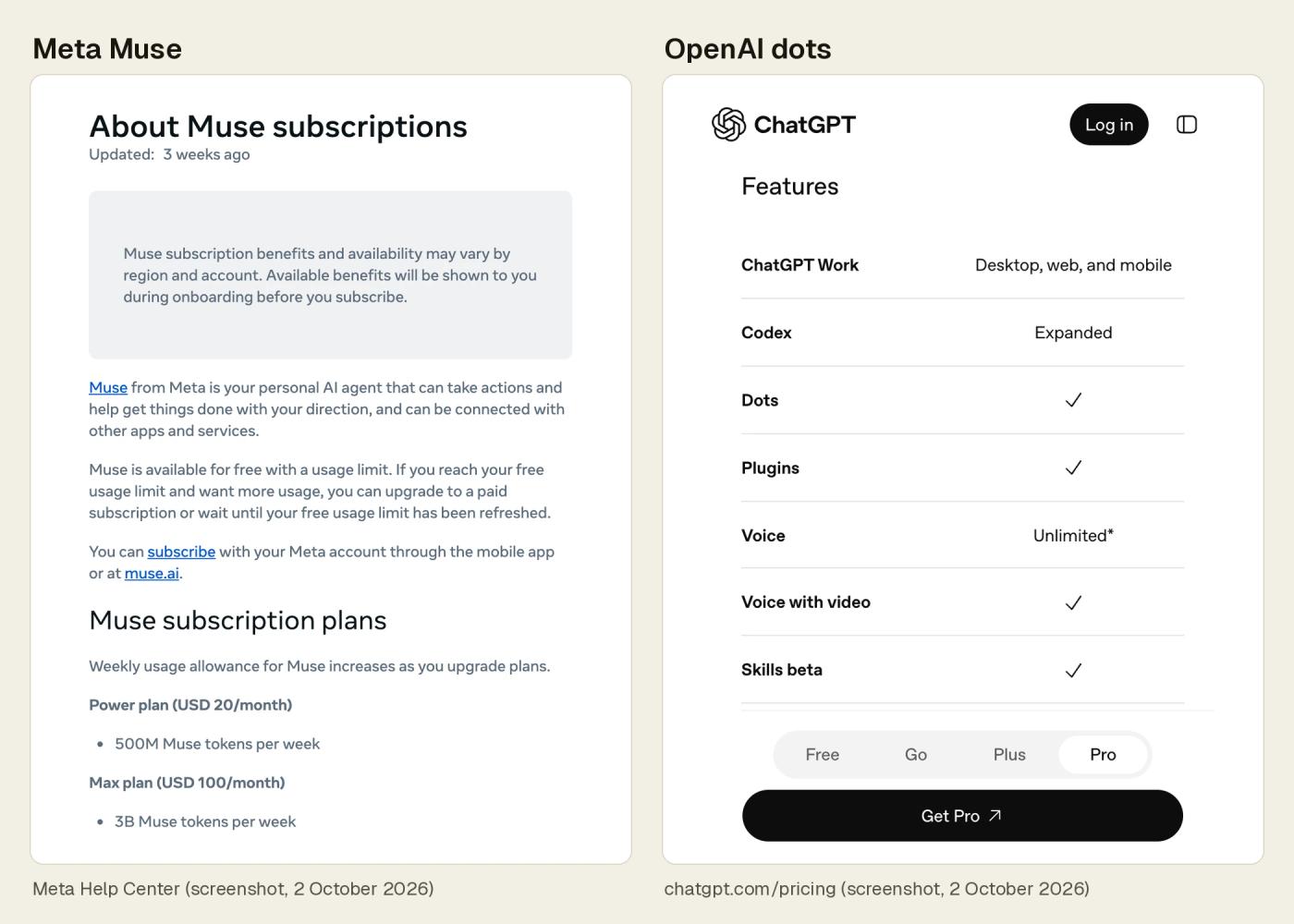
| Who can get it | Meta MuseMeta’s September 29 post says Muse is available in the US and Canada. Meta’s help page says Muse is in limited testing and isn’t available in all locations yet. It also says subscription benefits and availability may vary by region and account.[4][1] | OpenAI dotsRolling out gradually to Pro users in markets outside the European Economic Area, Switzerland and the UK, and available to Business Premium users in all supported ChatGPT regions. Access may take several days. Enterprise workspaces can try a beta once an admin turns it on.[7] |
|---|
| Price to start | Meta MuseFree with a usage limit; when you reach it, you can upgrade or wait for it to refresh. Power plan $20 a month (500M Muse tokens per week); Max plan $100 a month (3B Muse tokens per week). Plans renew automatically each month unless you cancel; benefits may vary by region and account.[1] | OpenAI dotsNot on ChatGPT Free, Go or Plus. First dot included in Pro or Business Premium at no extra cost. Pro 100 $100, Pro 200 $200 or Pro 500 $500 a month (US dollars), billed monthly. Chats with your dot don’t count toward ChatGPT usage limits; when you ask your dot to start or manage tasks in Codex or ChatGPT Work, those do, and the plan includes an allowance for deeper work.[12][5][6] |
|---|
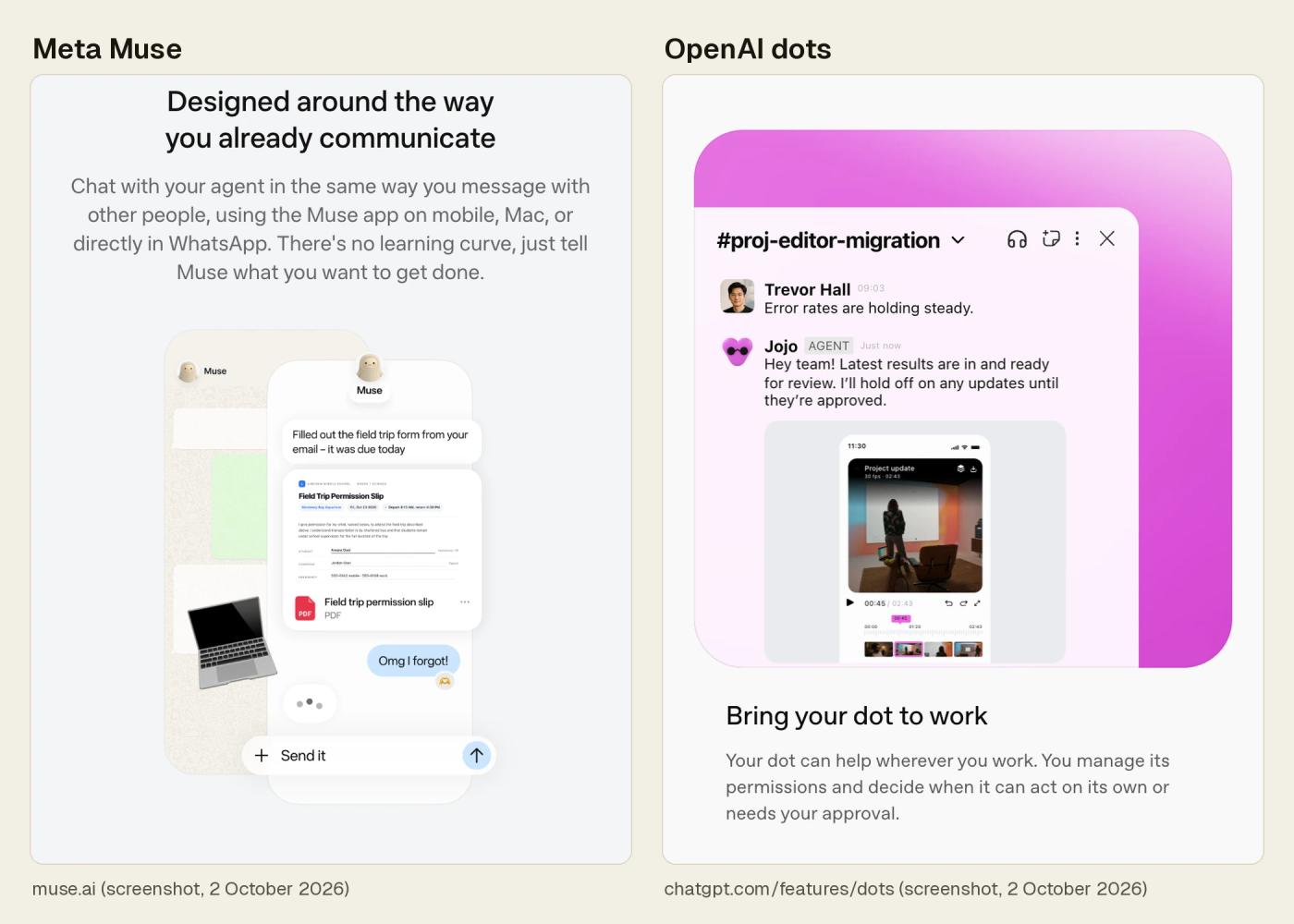
| Where you talk to it | Meta MuseYou message Muse in the Muse app or directly in WhatsApp. The app runs on iOS, Android and Mac, and there is a web version at muse.ai.[2][3] | OpenAI dotsChatGPT on desktop and web, the mobile app when mobile access is available, plus Slack and Teams. You create a dot on desktop.[5][7] |
|---|
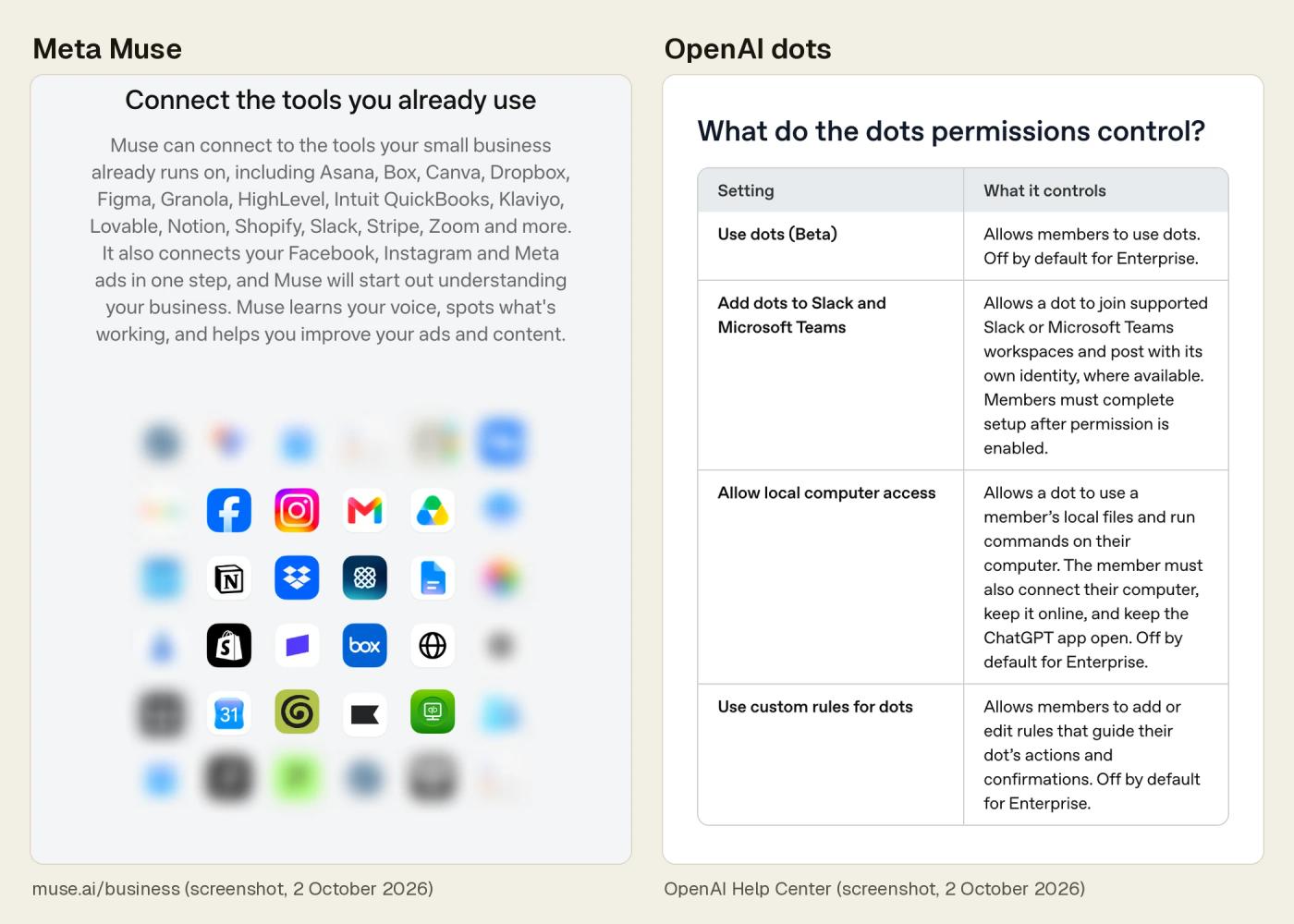
| Business use | Meta MuseMuse for Small Business adds skills and connectors inside Muse, including Facebook Pages, Instagram professional account analytics and Meta ad accounts. Meta lists no separate price; its post links to the standard Muse plans. Meta’s pages don’t mention team seats or admin controls.[4][1] | OpenAI dotsOpenAI’s business page: “Dots are available on ChatGPT Business Premium.” OpenAI’s Business help: Premium seats cost $125 per user per month when billed monthly, or $100 per user per month when billed annually, with at least 2 Standard or Premium seats in total. Enterprise: a beta an admin turns on.[8][14][7] |
|---|
| App connections | Meta MuseIn Meta’s words, Muse can “connect to dozens of tools that businesses already run on” (Muse for Small Business post).[4] | OpenAI dotsIn OpenAI’s words, dots can “connect to over 4,000 apps” through plugins (OpenAI’s Introducing dots post).[5] |
|---|
| Money and purchases | Meta MuseChecks with you before making a purchase. On sites where your card is already saved, Meta says Muse asks for approval with the exact purchase details every time.[2][16] | OpenAI dotsCan buy with a card you’ve saved on a merchant’s website. These purchases need your approval, which can be given in advance when it specifically covers the purchase.[10] |
|---|
| Approvals | Meta MuseAsks before sensitive actions, like sending an email or making a purchase. Meta says a separate Sentinel agent must approve anything that reaches the internet. Approvals can be one-time, session, task, time-bounded or perpetual, and you can change when Muse asks in Settings.[2][16][17] | OpenAI dotsStarts with built-in rules for when to act on its own and when to ask for approval. For some actions, Custom Rules with four choices: take action without asking, take action if pre-approved, ask before taking action, or hand off to you. OpenAI says Auto-review checks certain planned actions before they run.[5][7][10] |
|---|
| Memory and your data | Meta MuseRemembers what matters to you. You can tell it to forget specific things, and you can edit or delete information in its Memory.md file directly. After you delete something, Muse may still remember what it learned from it. Reset permanently deletes Muse’s chat history, files and active tasks.[2][18] | OpenAI dotsGets memories from ChatGPT and makes its own. You currently can’t view, edit or delete individual dot memories; deleting the dot deletes its context. What your dot shared with ChatGPT Memory is managed in ChatGPT Memory settings. Reset deletes the dot, its conversations, memories and scheduled tasks.[7][10] |
|---|
| Model training | Meta MuseA setting controls whether your Muse interactions are used to train Meta’s AI models.[18] | OpenAI dotsOn personal plans, a setting controls whether dots’ conversations and work are used to improve OpenAI’s models.[5] |
|---|
| Its own cloud computer | Meta MuseMuse Secure VM, a persistent, isolated Linux computer with a full browser that you and your agent can use to complete tasks, allowing you to intervene at any point. You can also see what Muse is doing in the browser and take over at any time.[3][16] | OpenAI dotsEach dot has its own cloud computer and browser, with a Linux system and Chrome browser that OpenAI maintains. You can open your dot’s computer at any time to inspect its work, and view and interact with it from your dot’s profile.[5][11][7] |
|---|
| Working in the background | Meta MuseFor tasks that take more time, keeps working after you close the app. Once you’ve set a goal or a task, it also works on a schedule and in response to relevant events. It keeps reminders and scheduled tasks, which you can ask it to update or delete, and you can tell it to turn its proactive messages off, down or up.[2][19][18] | OpenAI dotsKeeps making progress between conversations and, in OpenAI’s words, can work towards your goals 24/7. You can ask it to set reminders or run recurring checks, review scheduled work in its profile, and pause it.[5][7] |
|---|
| Choosing app access | Meta MuseYou choose which apps Muse connects to and how much access it gets. After you disconnect an app, what Muse used from it might still remain in its memories.[2][17] | OpenAI dotsYou choose which apps dots can access and manage permissions in your ChatGPT app controls. Disconnecting an app doesn’t delete what your dot already got from it.[5][7] |
|---|
| Passwords | Meta MuseCredentials you share go into secure storage, so Muse can use them without seeing them.[2] | OpenAI dotsFor supported sign-ins, dots use saved passwords without exposing them to the model.[5] |
|---|
| Model | Meta MusePowered by Muse Spark.[2] | OpenAI dotsPowered by GPT-6 Astra.[5] |
|---|
| Minimum age | Meta MuseNot for users under 18, or a higher age where a country requires it.[13] | OpenAI dotsNot yet available to users under 18.[10] |
|---|